
How to Search Cases by Name
Go straight to the office that keeps the record. The District Clerk holds district civil, family, felony, and juvenile files. Related court records sit there too. The County Clerk portal page routes you to county-level criminal, civil, and probate records. City citations stay with the issuing municipal court. Justice of the Peace files stay with the precinct court.
- Select the court level and case type before entering a name.
- Use exact last-name spelling first, then add the first name.
- Apply court, county, filing-date, and case-type filters where offered.
- Open a candidate only after Cameron County and the expected party role match.
- Read the event sequence, then request the exact underlying document if needed.
A clerk request works best with the bare minimum of matching data. No cause number on hand? District Clerk staff can still search. They use name, case type, filing dates, date of birth, and charges. County Clerk forms list their own required fields. Skip the sensitive extras. Never send a Social Security number a clerk did not ask for.
| Field label | Type | Required | Notes |
|---|---|---|---|
| Last name | Text | Route dependent | Use exact spelling first |
| First name | Text | No | Narrows common names |
| Court or case type | Filter | No | Confirms the correct Cameron court layer |
| Filing range | Date | No | Use the clerk-accepted filing date |
| Cause number | Text | No | Most reliable key when known |
Cameron County Case Search Routing
One name search cannot cover every Cameron County court. Felonies and general district matters belong to nine numbered district courts and the District Clerk. Class A and B misdemeanors run through the County Clerk and the named county court. County civil cases and probate do too. Nine JP precincts and each municipal court keep separate lower-court dockets. So the level matters before you search.
Let the paperwork tell you where to go. A Brownsville traffic citation starts with Brownsville Municipal Court, not a district docket. A felony indictment belongs to the District Clerk. Probate goes to Probate Court No. 1 through County Clerk forms. A federal complaint lands in PACER and the Southern District of Texas, not re:SearchTX.
How to Search by Case Number
The cause number is the identifier the court assigns. It is the strongest Cameron County case lookup key. Type it exactly as printed, punctuation and court-specific elements included. Cameron County does not publish one universal format. Inventing a year or case-type pattern will only send you wrong. A safe stand-in is COURT-ASSIGNED CAUSE NUMBER.
If the full number fails, confirm the court. Then ask its clerk whether the portal wants punctuation, a year, or another segment. Kofile sometimes makes you pick a record type and a grouped year range before its name fields will even activate. A failed format is an access problem. It is not proof the case does not exist.
Cameron County Case Search Fields
The official re:SearchTX guide lays out separate tabs for Cases, Filings, Text in Documents, and Hearings. Keyword and Advanced Search are distinct paths. Filters on the left narrow the results. Case Details and Filing Details only open once jurisdiction and case type are confirmed. Signing in requires registration with eFileTexas credentials. The statewide re:SearchTX landing page presents this statewide search route.
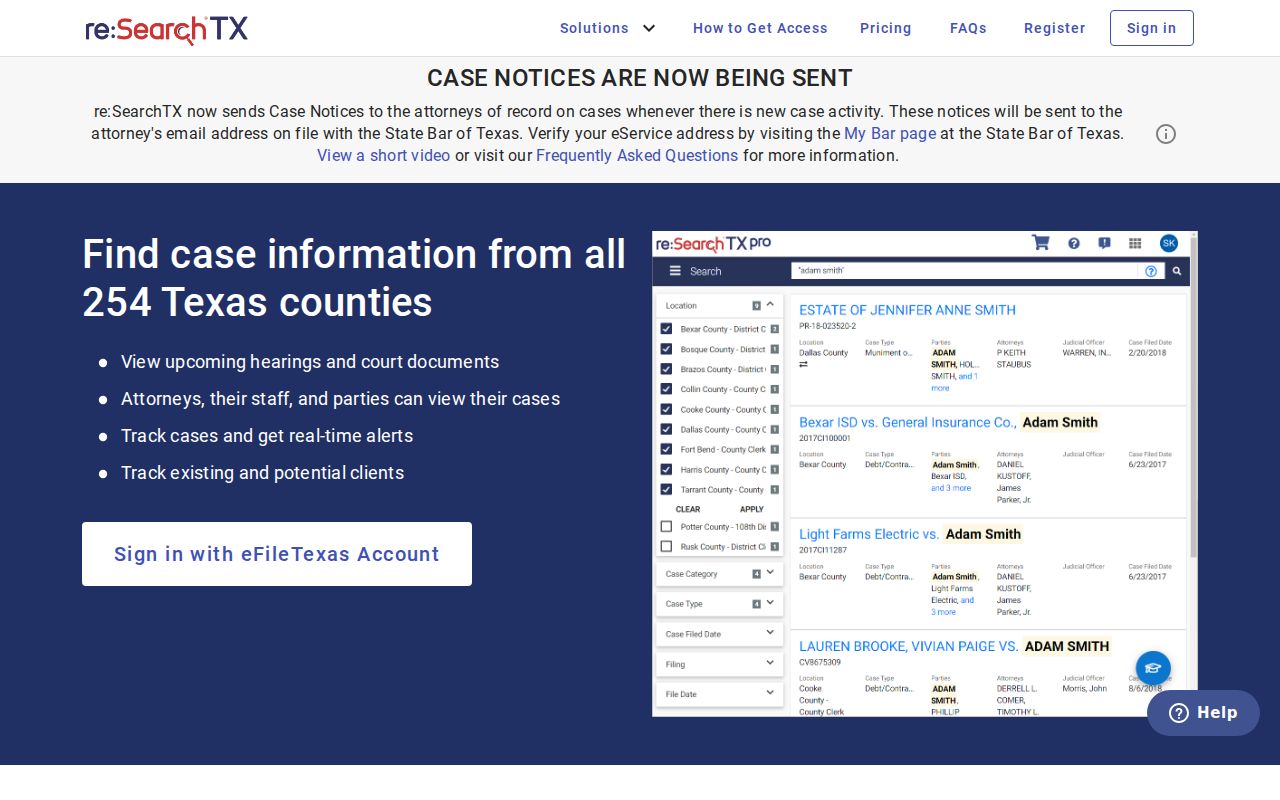
The landing page is the front door to the statewide system. It guarantees neither complete Cameron County coverage nor free access to every document.
What a Case Search Shows
A Cameron County result is an index or summary, nothing more. Its value comes from matching several fields and then reading the docket events in order. No status label replaces the signed order.
| Cause number | The court-assigned identifier, such as COURT-ASSIGNED CAUSE NUMBER. |
|---|---|
| Case style | The caption and procedural roles. |
| Court and county | The custodian and jurisdiction that distinguish similar names. |
| Case type | Civil, family, criminal, probate, juvenile, or another category. |
| Filed date | The date the clerk accepted the filing. |
| Events and settings | Filings, hearings, resets, orders, judgment, dismissal, or appeal entries. |
A pending case is not a finding of guilt or liability, and a reset is not a dismissal. When exact terms matter, request the signed judgment, dismissal, or pleading itself.
Cameron County Historic Case Index
Kofile's Cameron District Courts QuickLink puts historical index controls in one place. Record types include Civil Cases, Criminal Cases, Declaration of Citizenship, and Naturalization. Year groups run from 1849 to 1920 and later ranges. The last-name and first-name boxes only activate after you pick both. A separate document search works from Book, Volume, and Page.
The index does not promise every modern district filing. An older entry may still need warehouse retrieval through a District Clerk request. Try spelling variants and pick the right year group. Call records at (956) 574-8130 when an indexed document will not open.
County vs Statewide Case Search
The statewide system earns its keep when the Texas county is uncertain or a Cameron County filing needs a second check. Local sources win for clerk-specific forms, older indexes, posted dockets, and records that have not shown up statewide. Neither route substitutes for the clerk's certified copy.
| Point | re:SearchTX | Cameron local routes |
|---|---|---|
| Scope | Participating Texas courts | Cameron custodian or court |
| Best key | Cause number, party, filters | Cause number or clerk form fields |
| Access | Register or sign in | Portal, phone, form, mail, counter |
| Historic use | Coverage varies | Kofile grouped indexes |
| Proof | Search result is not certification | Clerk can issue the requested copy |
Cross-check the court, filing date, and party role in both systems. A similar name elsewhere in Texas can otherwise pass for a local match.
Cameron County Filing vs Case Lookup
eFileTexas is the statewide channel for submitting filings, not the public Cameron County docket and not a free document viewer. The confusion is understandable. re:SearchTX accepts eFileTexas credentials while serving a different purpose. The official eFileTexas page points filers toward submission services rather than case lookup.
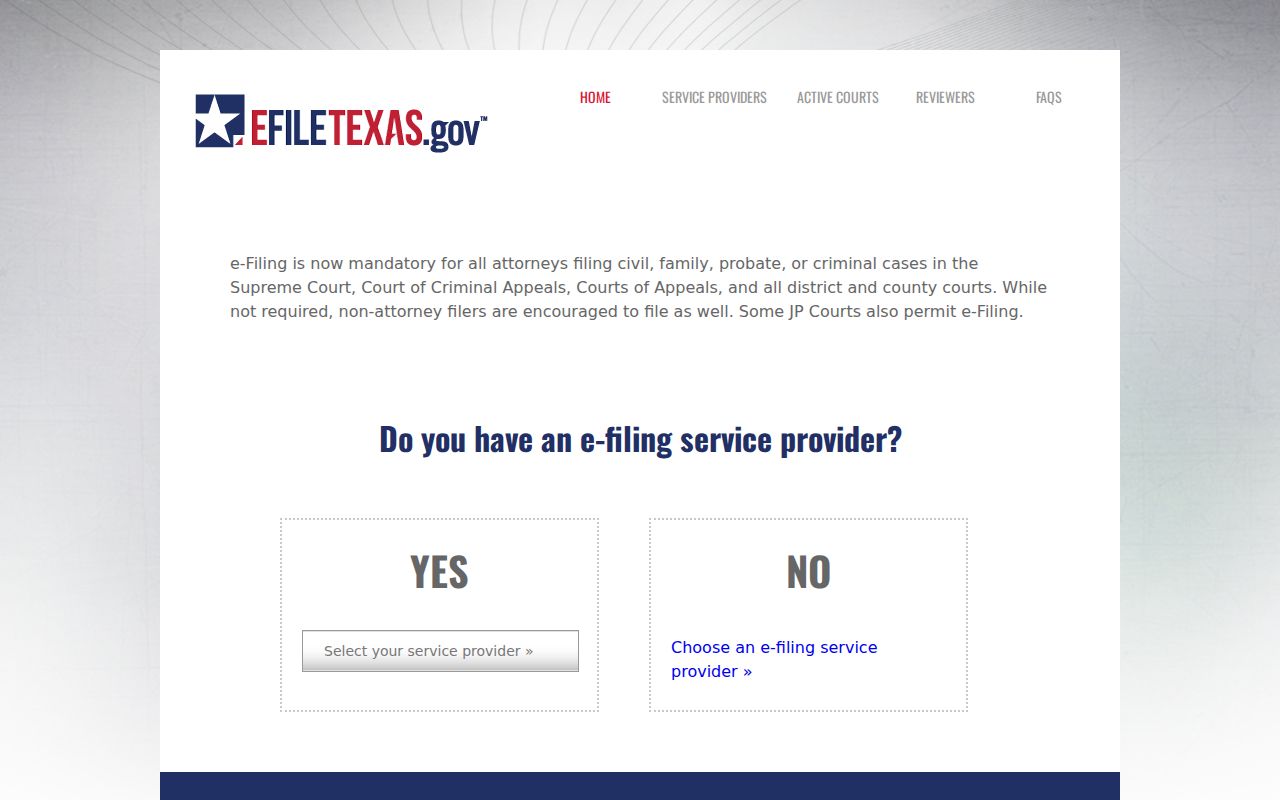
Searchers chasing an existing Cameron County case should head elsewhere: re:SearchTX, a local judicial portal, Kofile, or the correct clerk. The filing side and the lookup side are simply different doors.
Restricted Cases and Access Rules
Not every Cameron County court record comes back in a public docket search. Access depends on the court, the portal, and how far along the case is. Texas Family Code Chapter 58 keeps most juvenile case records closed. Sealed civil records sit behind the strict procedure in Texas Rule of Civil Procedure 76a. Rule 21c then requires clerks to redact or specially handle Social Security numbers, financial data, birth dates, home addresses, and any information that identifies a minor. That rule covers the sensitive details. It does not depend on case type.
Ask the custodian what happened. A missing result may be sealed, restricted, archived, unindexed, held by another clerk, blocked by a portal error, or mismatched by name. Request an existing public docket sheet or order and ask what redacted version is available.
Texas Rule of Judicial Administration 12 opens most judicial records to the public during regular business hours, subject to stated exceptions. One limit matters here. The rule never forces a court to create a record that does not exist.
Cameron County Case Search Failures
A failed Cameron County case search is not always a dead end. A Tyler page can return HTTP 403, and iDocket screens may stop at a login gate. Those are access walls, not empty results. Start by confirming the official URL and the right court level. Then retry the cause number and exact name, widen a sensible date range, or pick the required Kofile type and year. If nothing works, call the correct clerk: District Clerk records at (956) 574-8130, County Clerk criminal staff at (956) 544-0848, or civil staff at (956) 544-0815. The public can also send the proper form by the listed delivery method or visit the counter. Name the exact document you need, and ask whether it is archived, restricted, or held elsewhere.
Need only a hearing date? The District Clerk's iDocket calendar endpoint offers another official route. A calendar confirms a setting, but it is no substitute for the full Cameron County case search or the underlying file. Follow Cameron County court dates for the court-by-court confirmation process, and call the named court when an older posted date conflicts with a newer notice.
Cameron County Case Search Forms
The County Clerk's current criminal form accepts a name, date of birth, offense, case number, or Social Security number. The requester then chooses among a complaint, judgment, docket sheet, dismissal, plain copy, certified copy, another item, or a no-record letter. Give the clerk only the minimum sensitive data needed. The civil and probate form works differently, separating party or deceased-person name, file or death year, and cause number, then asking for a document choice and a delivery method.
District Clerk staff can search without a cause number if you supply names, case type, filing dates, date of birth, and charges. The published search charge is $5. Going offline helps when Tyler throws an access error, iDocket stops at a login screen, or an older file is not indexed online. Mail and counter service remain valid Cameron County access channels. Call first to confirm the right office, current fee, accepted payment, and whether the record sits in storage.
A search and a copy request are not the same thing. The search finds the file. The copy request names the docket sheet, pleading, order, judgment, transcript, or certificate you want. Say plainly whether you need a plain or certified copy, so the clerk returns the right document rather than a bare case summary.
Cameron County Hearing Case Search
A hearing search fits when you want a current setting, not the whole file. re:SearchTX offers a Hearings choice, and the Cameron County District Clerk also links an iDocket calendar. Before trusting the match, confirm the county, numbered court, cause number, hearing type, date, and time. Calendars shift after a reset or continuance. If two Cameron County sources disagree, call the named court coordinator and treat the newest court notice as the working instruction.
Cameron County Case Custodian Check
The final check is ownership. District felony, family, juvenile, and district civil records travel the District Clerk route. County misdemeanors, county civil matters, and probate records go through the County Clerk path. City and JP cases stay with their own courts unless a later proceeding moves them. This check prevents a false no-result conclusion. It also tells you which Cameron County office can issue the docket sheet, order, or certified record once the online case lookup finds the file.